
As demand for hands-on learning grows, more schools, edtech companies, and training programs are turning to custom educational kitting companies to design, assemble, and deliver complete learning kits.
But not all providers are the same.
Choosing the right partner can mean the difference between a seamless, scalable program and a logistical headache. Here’s how to evaluate and select the right custom kitting company for your needs.
What Does a Custom Educational Kitting Company Do?
A custom kitting company handles the full process of turning your idea into a ready-to-use learning kit. This often includes:
- Sourcing components
- Assembling kits with multiple parts (SKUs)
- Packaging and labeling
- Integrating curriculum materials
- Shipping directly to classrooms or users
Why Choosing the Right Partner Matters
A good kitting partner doesn’t just assemble parts; they become part of your delivery system.
The right company can help you:
- Reduce internal workload and prep time
- Ensure consistency across classrooms or customers
- Scale production as demand grows
- Improve the overall learner experience
For example, well-organized kits sorted, labeled, and classroom-ready can save educators hours of prep time.

Key Factors to Consider
1. Customization Capabilities
Look for a company that can truly tailor kits to your needs, not just bundle pre-made items.
Strong providers will:
- Align kits with your curriculum
- Customize by grade level or program
- Include branded materials and instructions
2. Experience in Educational Kitting
Experience matters especially in a niche like educational kitting.
You want a partner that:
- Understands classroom environments
- Designs for different age groups
- Has proven processes for accuracy and consistency
Since 2019, we’ve been building custom educational kits, making us one of the early providers in this space. That experience translates into smoother execution, fewer errors, and better outcomes for our partners.
3. Scalability & Order Flexibility
Can they handle your growth?
A strong kitting partner should support:
- Small pilot runs
- Mid-size program rollouts
- Large-scale national or global distribution
We’re built to handle orders of any size from small test batches to large, high-volume deployments without compromising quality or timelines.
4. Packaging & Presentation
Packaging isn’t just aesthetics; it impacts usability.
Look for:
- Organized, labeled components
- Durable packaging for shipping
- Clean, intuitive presentation
Great packaging makes kits easier to use and enhances the overall learning experience.
5. Cost Efficiency (and the Hidden Risks of Going Cheap)
Custom doesn’t always mean expensive, but choosing the cheapest provider can create serious problems.
A good partner helps you:
- Reduce waste by including only what’s needed
- Optimize sourcing for better pricing
- Lower per-unit costs as you scale
- However, low-cost providers often cut corners. This can lead to:
- Missed deadlines or unreliable delivery timelines
- Inconsistent kit quality or missing components
- Poor communication and lack of accountability
In educational programs, delays and errors don’t just affect logistics; they disrupt classrooms, schedules, and learner experiences.
Bottom line: cost matters, but reliability matters more. The right partner balances competitive pricing with consistent execution.
Red Flags to Watch Out For
Avoid companies that:
- Offer limited customization
- Lack real experience in education
- Can’t clearly explain their process
- Don’t provide samples or pilot runs
- Struggle with scaling production
Questions to Ask Before You Choose
Before committing, ask:
- Can you customize kits to our exact curriculum?
- What is your minimum order quantity (MOQ)?
- How do you ensure quality control?
- Can you support multi-location shipping?
- Do you offer prototyping or pilot programs?

Why Experience + Flexibility Matters
Educational programs evolve. Your kitting partner should be able to evolve with you.
With years of experience since 2019 and the ability to handle orders at any scale, the right partner can support you from early-stage pilots all the way to large-scale rollouts—without needing to switch vendors as you grow.
Final Thoughts
Choosing a custom educational kitting company is less about price and more about partnership.
The right provider will help you:
- Deliver better learning experiences
- Reduce operational complexity
- Scale your program with confidence
Take the time to evaluate your options, test small, and choose a partner that understands both logistics and learning.
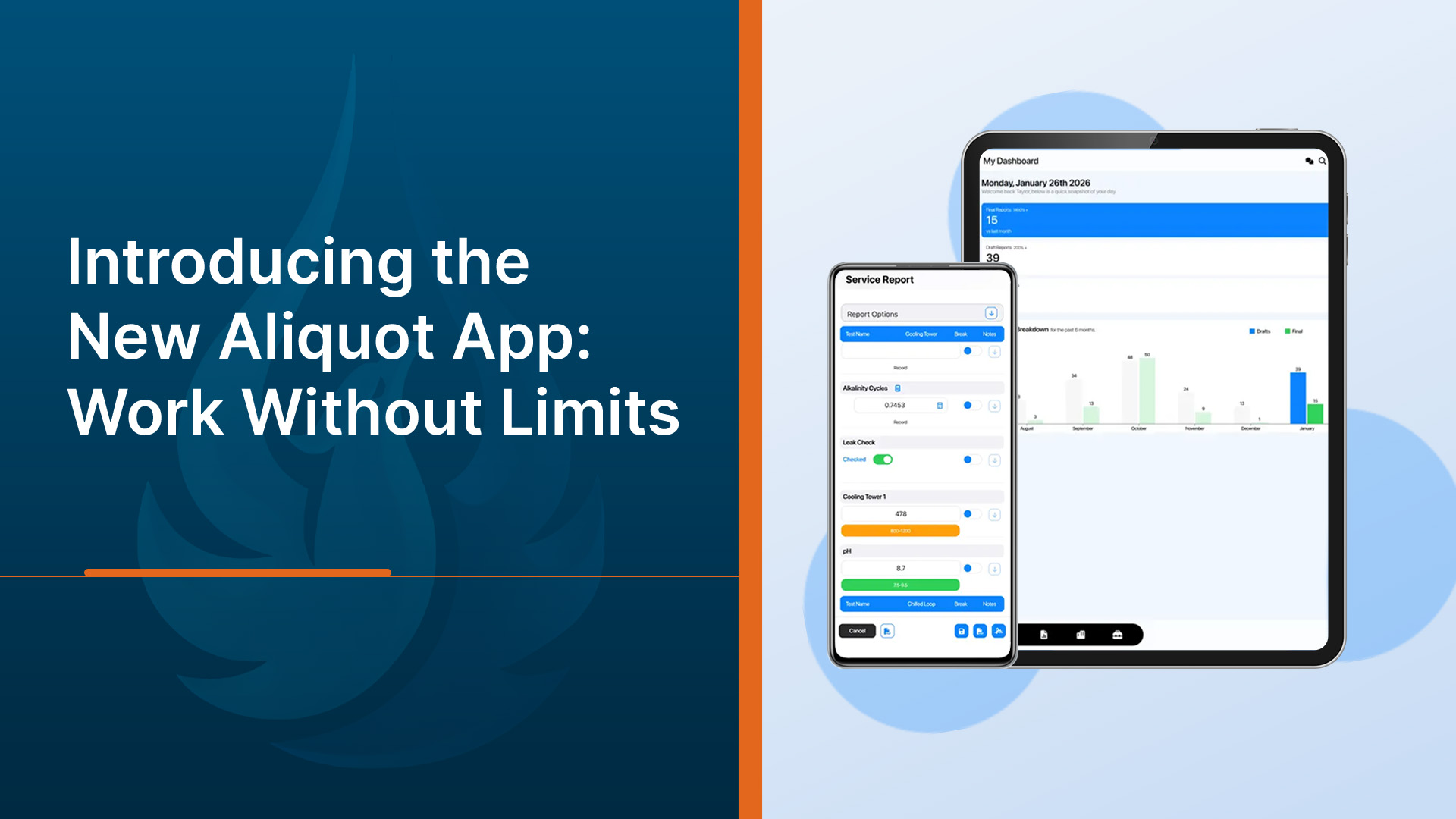
Work does not wait for your team to get back to a desk. It happens in basements, parking garages, warehouses, and out in the field. That reality is exactly why we built the new Aliquot App.
The Aliquot App extends the full Aliquot experience to your mobile device, making it easier for teams to capture information in real time, complete reports on site, and keep operations moving without interruption. This is not a lean version. It is Aliquot, ready to work wherever your team does.
Built for the Way Teams Actually Work
Many organizations still struggle with delays between field activity and data entry. Notes get written down and entered online later. Photos stay on phones. Reports pile up until the end of the day. Every extra step creates opportunities for errors, missed details, and slower decision making.
The Aliquot App removes those gaps by putting the workflow directly in the hands of the people doing the work. Teams can document activity the moment it happens, which improves accuracy and keeps information flowing back to the business faster.
With the Aliquot App, users can:
- Enter results in real time
- Capture photos and notes on site
- Access complete site and customer history.
- Finish reports without returning to the office
The result is a smoother, more connected workflow from the field to the office.
Designed for Real-World Environments
Field conditions are rarely perfect. Teams work in tight spaces, busy facilities, and remote locations where time and attention matter. The Aliquot App was designed with these realities in mind.
Whether someone is working in a basement, a warehouse, or out in the field, the experience remains fast, simple, and reliable. The interface is familiar and easy to navigate, which helps teams adopt it quickly and stay focused on the job in front of them.
By removing friction in the field, organizations can improve consistency across teams and locations without adding complexity.
Mobile Flexibility Across Devices
The Aliquot web app experience works across both Apple iOS and Android devices, giving teams flexibility to use the hardware they already rely on.
For the best performance, we recommend:
- Using Safari on iOS devices
- Using Chrome on Android devices
- Using the device’s native browser whenever possible
Native browsers are continuously updated by device manufacturers, which helps ensure the most stable and optimized experience. Third party browsers can apply different settings and designs that may affect performance.
Faster Reporting and Better Visibility
When data is captured at the source, everything downstream improves. Reports get completed sooner. Information is more consistent. Teams spend less time chasing details or cleaning up documentation later.
Organizations using the Aliquot App can expect:
- Faster field reporting
- Fewer manual errors
- Less duplicate data entry
- Better visibility across sites
- More consistent documentation
These improvements add up quickly, especially for teams managing multiple locations or high volumes of field activity.
Keep Work Moving Without Interruptions
One of the biggest benefits of the Aliquot App is momentum. When teams have the tools they need in their pocket, work keeps moving forward
There is no need to wait until the end of the day to enter information. No need to rely on handwritten notes. No need to wonder whether the latest data made it back to the system. Instead, organizations gain clearer operational visibility and faster access to the information that drives decisions.
Ready When Your Team Is
The new Aliquot App reflects a simple idea. Software should support the way work actually happens, not force teams to adapt around it. By bringing Aliquot fully into the field, teams can document work in real time, stay aligned across locations, and operate with greater speed and confidence. Wherever your team works, Aliquot is ready to go with them.


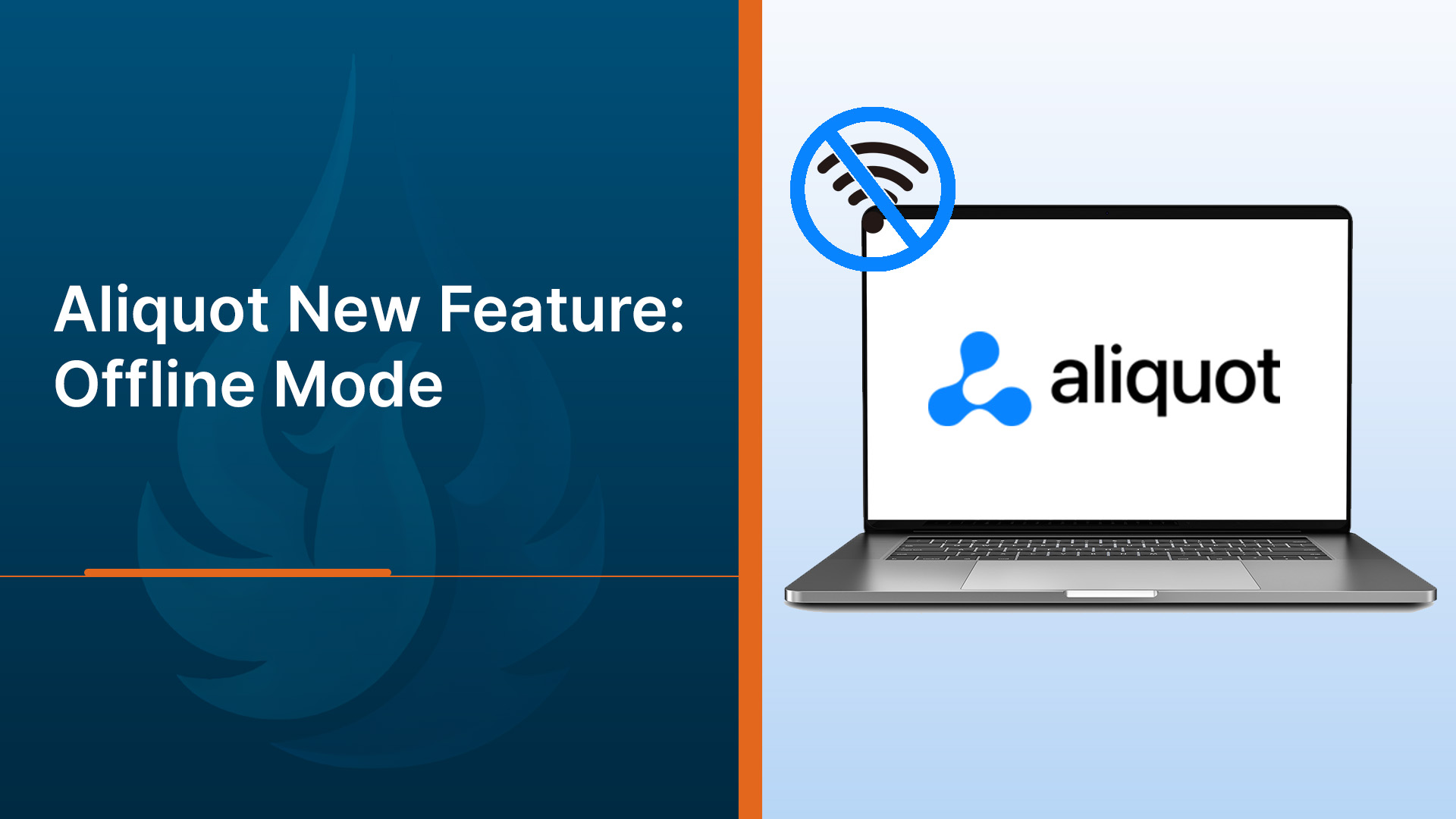
Work does not always happen where connectivity is reliable. It happens in plants with thick walls, in basements, along rural routes, and in the field where a signal can disappear without warning. Aliquot introduces Offline Mode, which is designed for those realities. It allows critical reporting work to continue without an internet connection and sync automatically once connectivity returns.
Offline Mode removes one of the biggest barriers to consistent, on-time reporting by making connectivity optional, not required. Reports can be created, edited, and saved locally in the field, then securely delivered to the cloud when the device reconnects. Offline Mode highlights these innovations.
What Offline Mode enables
Offline Mode allows users to sign in once while online, download the systems they need, and continue working regardless of connectivity. The experience is intentional and predictable, with clear indicators showing what is available offline and what will sync later.
Key advantages include:
- Business continuity in low connectivity environments like facilities, basements, and remote locations
- Fast, reliable data entry with local first saves that do not depend on a live connection
- Automatic background synchronization that restores full system parity once connectivity returns
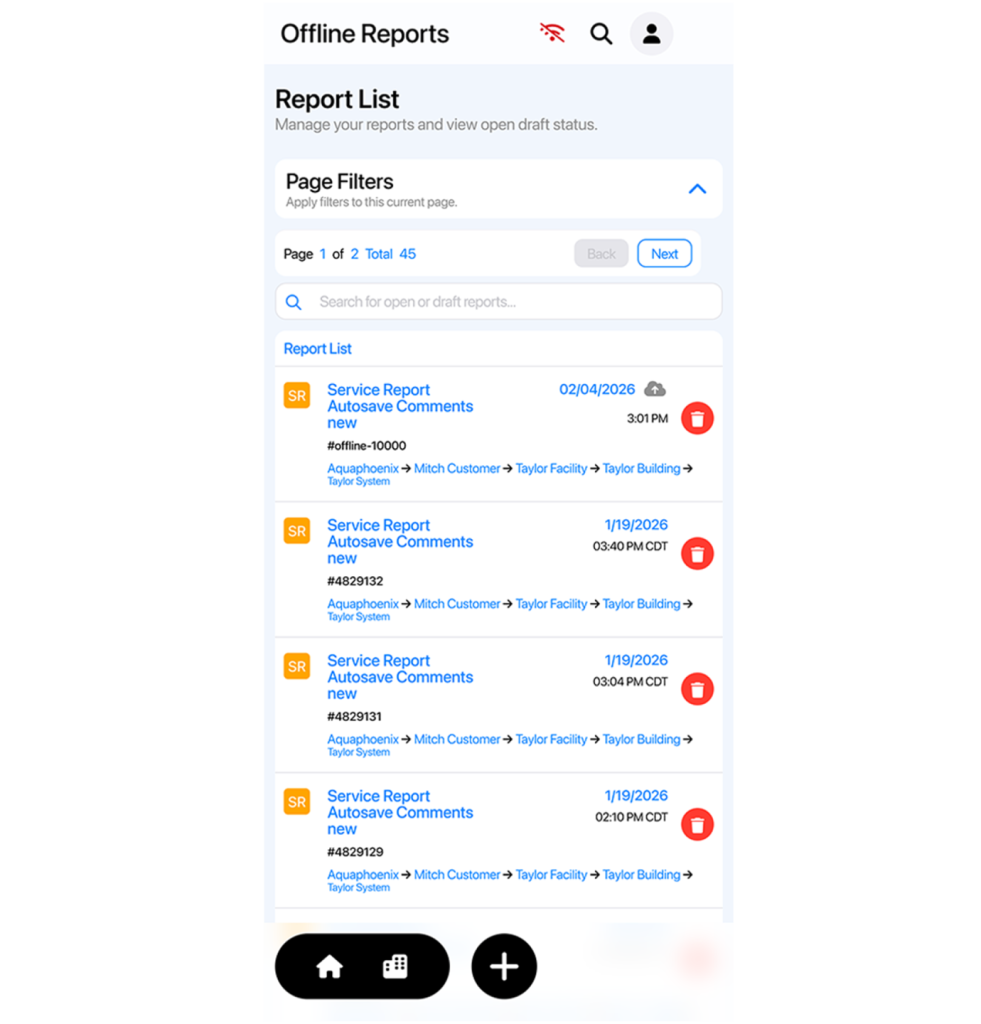
Offline reporting, built around real workflows
Offline Mode uses a local first editing model. For systems downloaded for offline use, reports are saved directly on the device and clearly marked as unsynced until they are delivered to the server. As a result, users benefit from Aliquot’s new feature.
Available offline for downloaded systems:
- System metadata such as name, location, and identifiers
- Creation and editing of Service Reports, Visit Reports and Operator Logs
- Draft saving with clear unsynced and synced status indicators
Limited or not available offline in the current release:
- Non downloaded systems
- Viewing finalized reports
- Other reports such as Checklist Reports and Surveys that will be coming soon
These boundaries keep offline work reliable while focusing on the workflows that matter most in the field.
Seamless sync and clear visibility
When connectivity returns, Aliquot automatically syncs queued changes in the background. Reports move from unsynced to synced with clear visual feedback, so there is never uncertainty about what has been delivered.
The sync engine is built for reliability:
- Changes are batched and retried if connectivity is unstable
- The server validates all data before confirming success
- Local status updates occur only after successful delivery
Conflicts are rare, but when they occur, Aliquot applies clear policies that protect data integrity and surface actionable options when review is required.
Secure, reliable, and ready for the field
Offline Mode does not compromise security. Only minimal, task critical data is stored on the device, protected with encrypted storage.
Offline Mode marks a turning point for teams who need reliable reporting wherever work happens. Connectivity gaps no longer delay progress, and field work no longer has to wait for a signal. Importantly, this progress is due to the Aliquot Offline Mode. No matter how you interact with Aliquot, Offline Mode is available. On the native mobile app, both mobile and desktop browsers. Aliquot is now built to go wherever the work happens.

Over the last year, Aliquot has undergone one of its most thoughtful and user-driven improvement cycles yet. To give customers a look behind the scenes, we sat down with Taylor Segovia, our SaaS Engineering Operations Manager, to talk about what’s new, and why the team invested so heavily in performance and usability.
Q: What sparked this wave of improvements to Aliquot?
Taylor: Over time, we saw how central Aliquot had become to our customers’ daily operations. That meant we needed to make sure the platform kept pace with modern expectations for speed, device compatibility, and simplicity. We took a hard look at workflows that required too many clicks, areas that slowed people down, and places where setup felt more complicated than it needed to be. The result is a cleaner, faster, more intuitive version of Aliquot that feels familiar but works dramatically better.
Q: What specific improvements have been made across the platform?
Taylor: A lot has changed, both on the surface and under the hood. Setting up the software: building customer lists, establishing hierarchies, adding users, and configuring systems is significantly faster. Load times have improved across the board, and almost every repetitive step has been streamlined. The tech stack is now modern and efficient, and we moved reporting to the cloud for reliability and instant saving. All of these updates add up to something meaningful: fewer clicks, faster workflows, and more time back in your day.
Q: How has speed changed for users?
Taylor: Speed was the number-one request, and we made major progress. Page loads, report lists, user lists, and product lists all load quickly now, even large data sets. Every click is noticeably faster. We rebuilt the architecture so that slow experiences aren’t just improved, they’re eliminated.
Q: Were these improvements extensively tested?
A: Absolutely. We introduced more testing than we’ve ever had before. We’re running automation testing daily, and we have an active group of beta users providing real-time feedback. Both web and desktop versions go through rigorous QA to make sure each update lands smoothly and performs reliably.
Q: How do these upgrades ultimately benefit the end user?
Taylor: The biggest benefit is time saved and peace of mind. Because everything is saved in the cloud, users know their work is secure. Device compatibility also makes a huge difference; you can use Aliquot on a phone or tablet in the field without needing a laptop. And with improved offline mode coming in Q1, that flexibility will only expand.
Q: What customer pain points did the improvements address?
Taylor: Speed was the biggest one. But we also fixed the pain around images; previously, people had to upload to an attachment manager and couldn’t do it from a mobile device. Now you can upload and resize images directly from your phone or tablet. Components and test setup is much easier too. Workflows that used to feel tedious or multi-step now feel streamlined and intuitive.
Q: What feedback have early users shared so far?
Taylor: Early users love how easy it is to set up components and tests, and they’re very happy with the mobile web experience. Report customization is another highlight, we now support completely customizable report sections, which gives users much more control over how reports look and read.
Q: What metrics or capabilities show the impact of these improvements?
Taylor: We’re seeing a significant increase in the number of reports completed daily thanks to faster performance. We also introduced controller compatibility, customers can now add controllers themselves through a self-service workflow. And we expanded language support to English, French, and Spanish so the platform can better serve our global users.
Q: What about branding and white-label features?
Taylor: Those remain fully supported. Customers keep their own URLs, logos, and themes. Even with all these enhancements, Aliquot still feels like your platform.
Q: For users who haven’t experienced the new version yet, what can they expect?
Taylor: They can expect a faster, modernized, intuitive system. Most people feel confident using it within just a few days. The design is cleaner, workflows are smoother, and everything from reports to device compatibility has improved.
Q: What’s the plan for the future?
Taylor: We’re focused on strengthening offline mode, expanding dashboards, and continuing functionality refinements. And we’re excited to introduce the mobile app; it will look and feel exactly like the web version, giving users a consistent, modern experience across every device.
At every step, your feedback guides our work. We’re committed to continuously improving Aliquot so it supports the way you operate today and evolves with what you need tomorrow. If you’d like a firsthand look at the latest updates, you can schedule a personal demo anytime.

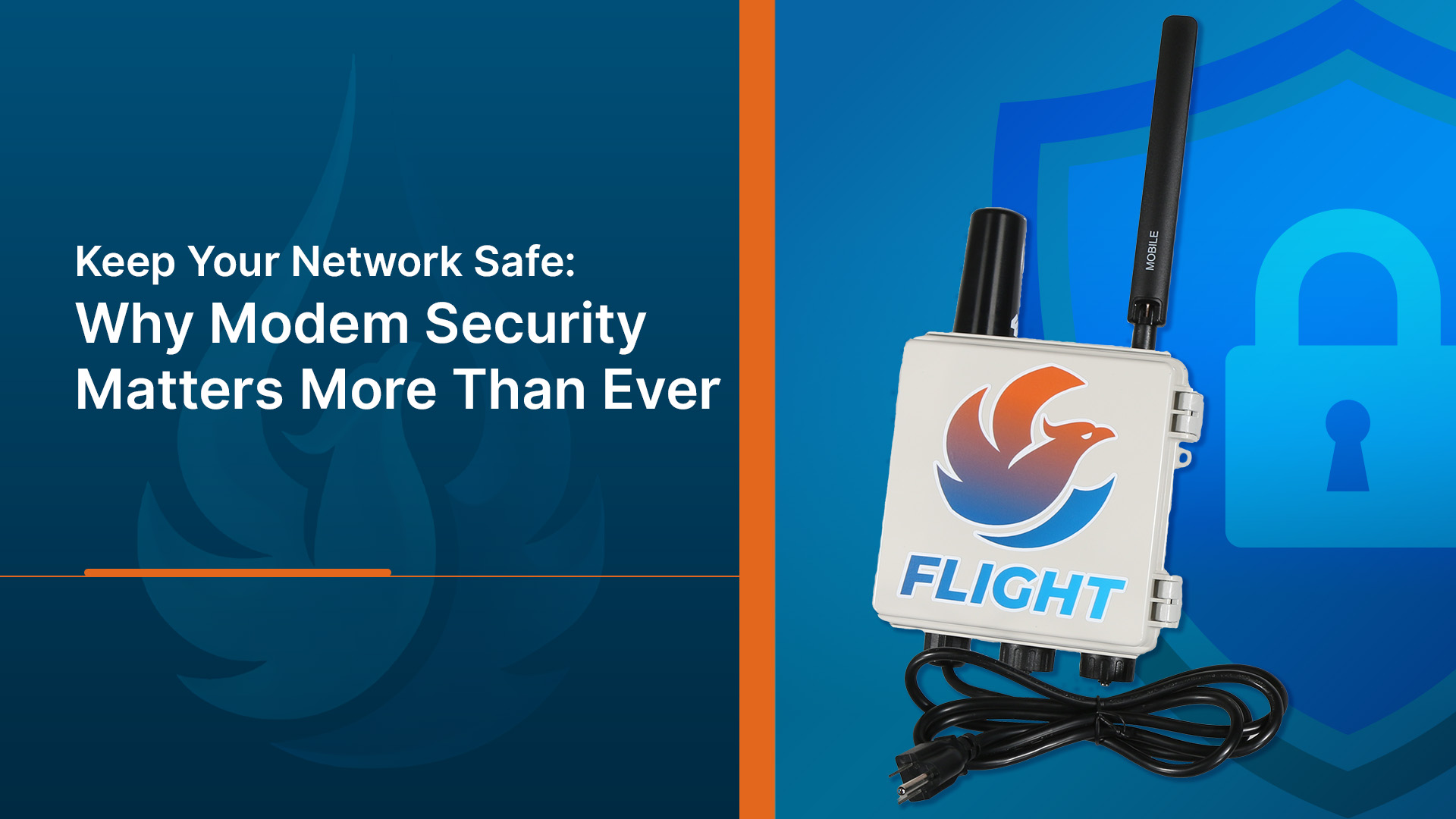
In today’s connected world, modems are more than communication tools; they are gateways to entire networks. When they are outdated or left unmonitored, they become easy entry points for cyberattacks.
A 2025 60 Minutes report, revealed that hackers linked to China breached the computer network of the Littleton Electric Light & Water Department in Massachusetts. The attack targeted systems that controlled both electricity and water operations, including chemical tanks that keep drinking water safe.
While hackers did not breach the system via a modem (the breach occurred via a firewall with a known security flaw), the FBI and CISA warn that outdated network edge devices — including routers, firewalls, and modems — are increasingly being exploited as entry points by bad actors. Although the hackers didn’t take control of the system, they gained access to login credentials and could have impersonated employees. The incident cost the utility thousands of dollars to rebuild its network and improve defenses.
Former U.S. Cyber Command leader General Tim Haugh noted that the attack showed how vulnerable local utilities and infrastructure have become, and that no target is too small.
This story highlights an urgent truth: modem and network security are no longer optional. Protecting connected devices at every level is essential to keeping operations safe.
Flight, a highly reliable and secure managed modem service, helps strengthen the security of modems by providing constant monitoring, regular firmware updates, and access controls. By keeping devices up to date and closely overseen, it reduces the risk of unauthorized access and helps prevent vulnerabilities that could be exploited by attackers. With visibility into how each modem is performing, organizations can identify potential issues early and maintain safer, more reliable network connections.
The Hidden Risks Behind Everyday Connectivity
Every organization relies on connectivity, but few of those that rely on modems realize how often the devices quietly handle critical data transfers and control functions. They link instruments, monitoring systems, and communication platforms that keep industries running smoothly. When these connections are exposed or unmanaged, they become potential points of entry for malicious actors.
In the case of Littleton Electric Light & Water, the hackers remained undetected for nearly a year. That means sensitive systems were exposed for months before the breach was identified. The attackers were part of a group believed to have targeted multiple utilities across the country, focusing on small to mid-sized organizations that lacked advanced cybersecurity resources.
The lesson is clear: it’s not just large corporations that are being targeted. Utilities, manufacturers, and service providers of all sizes can be affected. A single compromised modem or unsecured connection can give outsiders access to operational systems that should remain isolated from public networks.
How a Breach Can Begin with a Single Device
Modems act as the communication bridge between remote equipment and central networks. If those modems are not patched, monitored, or updated, they can become the weakest link. Hackers can exploit outdated firmware or default passwords to gain entry, then move laterally across connected systems.
In the Littleton case, investigators reported that attackers used credentials to access the network (via a firewall with known security issues), demonstrating how social engineering and technical vulnerabilities often work together. A modem that hasn’t been properly secured can make such infiltration easier and faster. Once inside, hackers can disrupt data flow, disable devices, or even manipulate automated systems controlling physical infrastructure.
These risks underline the importance of constant vigilance. Even one overlooked modem could open the door to a much larger compromise.
Flight: The Smarter Way to Secure and Manage Modems
Flight by AquaPhoenix is a managed modem service designed to make connectivity simple, reliable, and secure. It provides constant oversight, proactive protection, and peace of mind that comes with expert management.
Flight isn’t just another connectivity tool. It is a complete solution that blends hardware, data plans, and hands-on monitoring into one cohesive system.
Around-the-Clock Protection and Monitoring
With Flight, your modems are never unattended. The service includes 24/7/365 monitoring and diagnostics, ensuring issues are identified before they become problems. You get complete visibility into how each modem is performing, helping you stay ahead of outages or unexpected behavior.
Flight also supports multiple carriers with automatic failover. That means your system stays connected even if one network goes down. Reliability and security go hand in hand, and Flight delivers both.
Security Built into Every Connection
Each modem managed through Flight benefits from enterprise-grade security. AquaPhoenix uses features such as firmware updates, strong password management, event logging, private IP options, and access controls. These protect your network from unauthorized users and potential cyber threats.
Because everything is managed by AquaPhoenix experts, your team doesn’t have to worry about keeping firmware current or chasing configuration details. Flight ensures your modems are always compliant with best security practices.
Why Managed Modem Services Are the Future
The days of simply plugging in a modem and walking away are over. Today’s infrastructure depends on always-on data, remote access, and continuous communication between smart devices. Without professional oversight, these connections create hidden vulnerabilities that most organizations don’t have the staff or tools to manage effectively.
A managed modem service, like Flight, takes that responsibility off your shoulders. It provides visibility into every connection, from signal strength and data usage to security compliance and firmware health. This helps ensure that each modem across your network is performing optimally and safely.
When combined with AquaPhoenix’s experience in water quality and environmental monitoring, Flight becomes more than a technology solution. It is part of a broader strategy to protect vital systems and maintain confidence in the reliability of operations.
Stop Reacting and Start Preventing
Many organizations discover modem issues only after an incident occurs. Flight changes that approach. Instead of waiting for a problem, it continuously scans for irregularities and alerts you when something needs attention.
If a modem shows unusual activity or begins to lose connection, Flight can detect it in real time. This early awareness helps prevent downtime and limits security risks before they spread.
Expert Oversight Without the Stress
Managing hundreds of modems can overwhelm even experienced IT teams. Flight takes that burden off your plate. AquaPhoenix engineers handle the monitoring, maintenance, and troubleshooting, so your staff can focus on the work that matters most.
You get the confidence of knowing every modem is secure, monitored, and optimized, without needing to build an internal support structure from scratch.
Learning from the Littleton Incident
The breach in Littleton is a wake-up call for every organization that depends on automated systems. While that utility responded quickly once the intrusion was detected, the cost and disruption were significant. Rebuilding the network, restoring trust, and upgrading cybersecurity took months of effort and investment.
This type of incident reinforces the value of prevention over recovery. When networks are monitored continuously and firmware is managed proactively, it becomes much harder for attackers to move undetected. Managed services like Flight provide exactly that kind of oversight, ensuring that small vulnerabilities do not escalate into large-scale compromises.
The event also illustrates the growing threat landscape for essential services. From power grids to water treatment facilities, many public and private organizations are now digital-first operations. Protecting those digital assets is just as important as maintaining physical infrastructure.
Peace of Mind Through Managed Security
Cyber threats are growing more sophisticated each year, and they often begin with small, overlooked devices. Modems are one of the most common entry points for attacks because they sit quietly at the edge of your network.
Flight by AquaPhoenix changes that dynamic. It provides managed protection, reliable connectivity, and continuous support from a trusted partner who understands both technology and water industry operations.
Stay Ahead of Cyber Risks with Flight
When adversaries look for weaknesses, unmonitored or outdated modems are an easy target. By partnering with AquaPhoenix and using Flight, you strengthen one of the most critical parts of your infrastructure.
Flight makes your connectivity safer, simpler, and more dependable. It is managed, monitored, and supported so you can focus on your work, not on worrying about security.
If you want to learn more or see Flight in action, contact AquaPhoenix to schedule a demo and discover how managed modem security can safeguard your network.
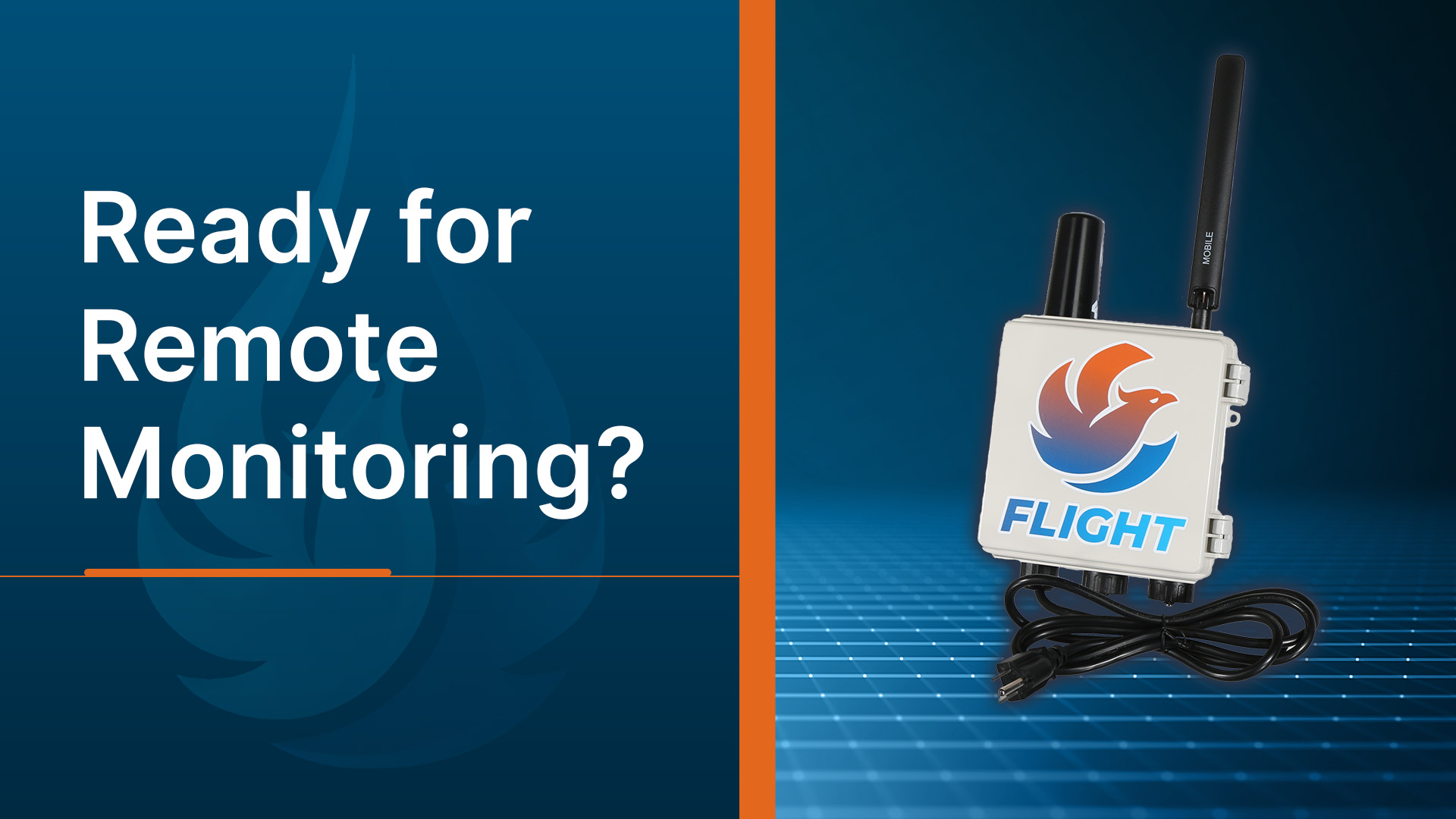
Are You Ready for Remote Equipment Monitoring?
Are you ready for remote equipment monitoring to boost efficiency and reliability in water treatment? Imagine getting an alert before a pump fails — not after. Instead of rushing to a site hours away, you already know which valve needs attention and what part to bring. That’s the power of remote equipment monitoring: fewer surprises, faster fixes, and complete confidence in your system’s performance.
Why Remote Equipment Monitoring?
In today’s fast-paced, data-driven world, water treatment professionals face growing pressure to increase efficiency, reduce risk, and maintain compliance. If you’re still relying on clipboards, spreadsheets, or scheduled site visits to monitor critical system parameters, you’re not alone. But, you may be missing out on significant advantages that remote equipment monitoring can offer.
What Is Remote Monitoring & What Can It Do for You?
Remote equipment monitoring connects your on-site devices — such as pumps, sensors, and controllers — to the cloud through a secure modem or gateway. Each device continuously collects data on flow, pressure, chemical levels, and system performance. That data is then transmitted to a centralized platform, where it’s analyzed and displayed on an intuitive dashboard.
Engineers and operators can log in from any location to view live readings, check historical trends, and receive alerts when parameters drift out of range. This connected approach transforms raw data into actionable insights. This gives you the ability to make decisions based on facts, not guesswork.
Remote equipment monitoring is the use of technology to capture equipment performance data from a distance. It uses sensors, controllers, routers, modems, and other system components as well as data analysis tools.
This technology enables:
Real-time system visibility: 24/7 monitoring, diagnostics, and instant status updates. You don’t have to be on-site to see what’s going on; you’ll always have a unified system view and real-time performance insights to optimize your operations.
- Predictive maintenance: Advanced diagnostics and continuous oversight allow you to catch anomalies or deteriorating performance early, before they turn into failures or downtime.
- Automated compliance reporting: Some solutions, like Flight, automatically log and store system data, making it easier to generate detailed reports and maintain accurate records for audits and compliance reviews, all without manual data collection.
- Cost savings: By reducing the need for frequent site visits and manual inspections, remote equipment monitoring helps lower operational expenses. Remote access and automated alerts save both time and travel costs.
Remote equipment monitoring solutions like Flight by AquaPhoenix give you real-time visibility into your systems, without needing to be on site. That’s because Flight includes three of the most crucial system components that you need to capture data and ensure reliable access to it 24/7/365: hardware (modem), data plan (connectivity), and support (proactive, live modem uptime monitoring by trained professionals).
Controllers capture essential data. Flight makes sure you see it.
The Flight modem is designed for reliability and flexibility in the field. It securely collects data from controllers, sensors, and tanks, then transmits it to the cloud using a robust, industrial-grade connection. Whether your site relies on cellular or satellite communication, Flight ensures your data is accessible anytime and anywhere. Built to handle demanding environments, it operates continuously in a variety of conditions. This ensures uninterrupted monitoring even in remote or hard-to-reach locations.
These platforms deliver automated alerts, historical data, and actionable insights that empower your team to act faster, smarter, and with greater confidence. But before you dive in, it’s important to evaluate your organization’s readiness for this digital transformation.
Ready to Take Flight?
Transitioning to remote monitoring is more than a technology upgrade; it’s a shift toward smarter, more efficient operations. With the Flight modem, you gain the tools to monitor critical systems in real time, reduce maintenance costs, and peace of mind knowing your equipment is always connected.
Taking the first step doesn’t require a full system overhaul — it starts with understanding where you stand today. Our free readiness checklist helps you identify gaps in connectivity, data access, and process visibility. Whether you operate one site or many, this simple self-assessment will show you how close you are to achieving continuous insight into your water treatment systems.
Don’t wait for the next unexpected outage — get ahead of it. Download the checklist and start building your connected operation today.
Our easy-to-use readiness checklist covers aspects such as data collection and system infrastructure, team readiness and organizational culture. Companies in the early stages of digital transformation lean on experts, such as the Flight team at AquaPhoenix to help determine next steps. Our checklist can help you identify gaps that need to be addressed as you prepare to transform from manual to digital. Understanding where you are is just as important as creating an actionable plan that gets you to the next stage of growth.
Want to know if your facility is ready to make the move? Flight Readiness Checklist to evaluate your current setup and take the first step toward seamless remote monitoring.
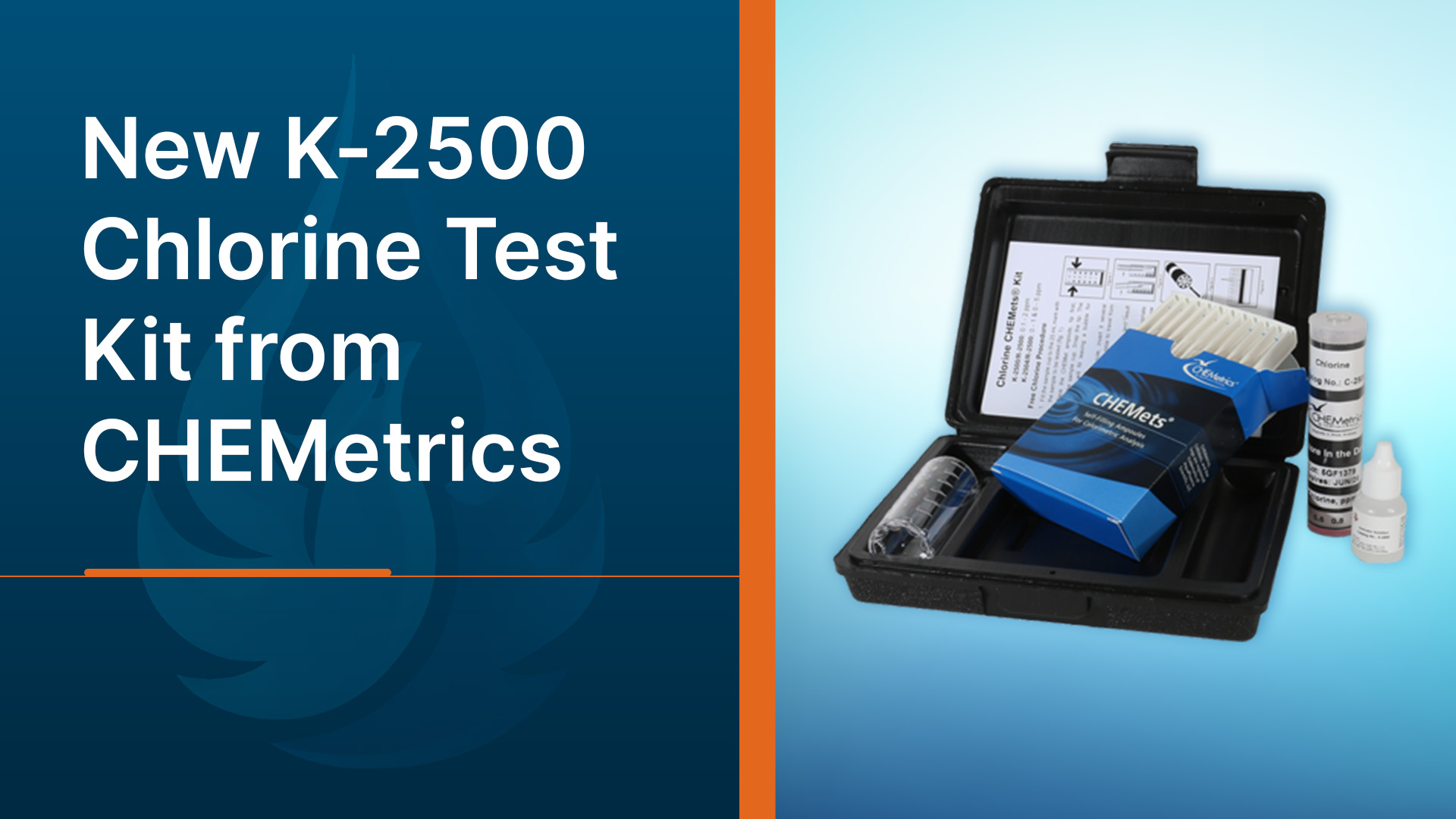
We’re excited to introduce the CHEMetrics K-2500 Free and Total Chlorine Test Kit! This low-range test kit is designed to make chlorine testing simple, accurate, and affordable for anyone who needs to monitor water quality at lower concentrations. With a range of 0.1–2 ppm and increments of 0.2 ppm, it’s a perfect fit for applications where precision at the low end really matters.
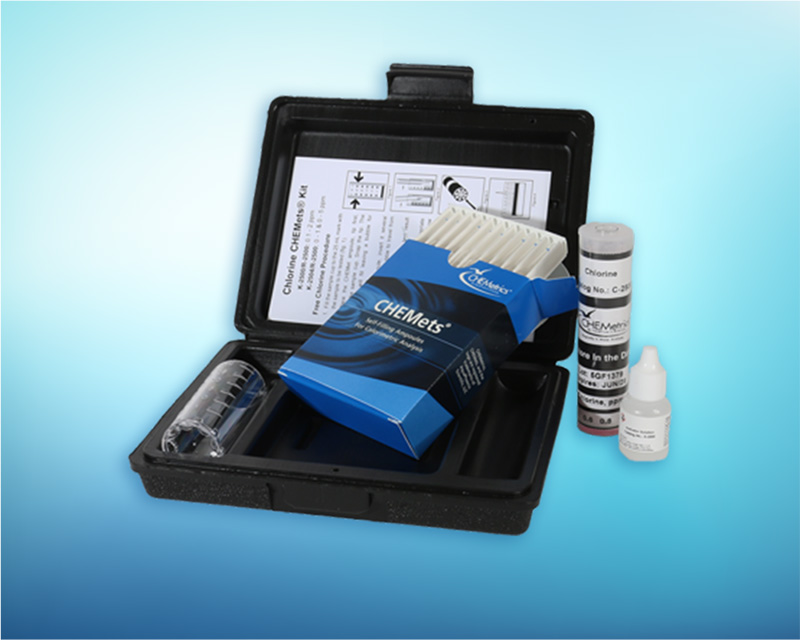
Packed in a durable plastic case, each kit includes everything you need to perform 30 tests: a low-range round comparator, refill, activator solution, 25 mL sample cup, and step-by-step instructions.
Why You’ll Love It
- Portable and complete: comes with everything you need in one case, ready to take into the field.
- Quick and reliable results: uses the proven DPD method for free and total chlorine.
- Affordable option: same trusted CHEMetrics accuracy as the K-2504, but streamlined for low-range use only.
- Designed for low-range testing: Built specifically for measuring chlorine in the 0.1–2 ppm range, so you don’t pay to test levels you don’t need.
- Simple workflow: No complicated steps or extra tools, just a clear, streamlined process anyone can follow.
Who It’s For
The K-2500 is ideal for anyone who works with water systems where chlorine levels are typically low, including:
- Municipal water utilities
- Drinking water treatment plants
- Pools and spas
- Breweries
- Food and beverage processing facilities
- Cooling towers
- Pharmaceuticals
- Potable water
If maintaining safe, compliant, and high-quality water is part of your job, this kit gives you an easy way to check chlorine levels on-site with confidence.
CHEMetrics K-2500: Affordable. Accurate. Easy.
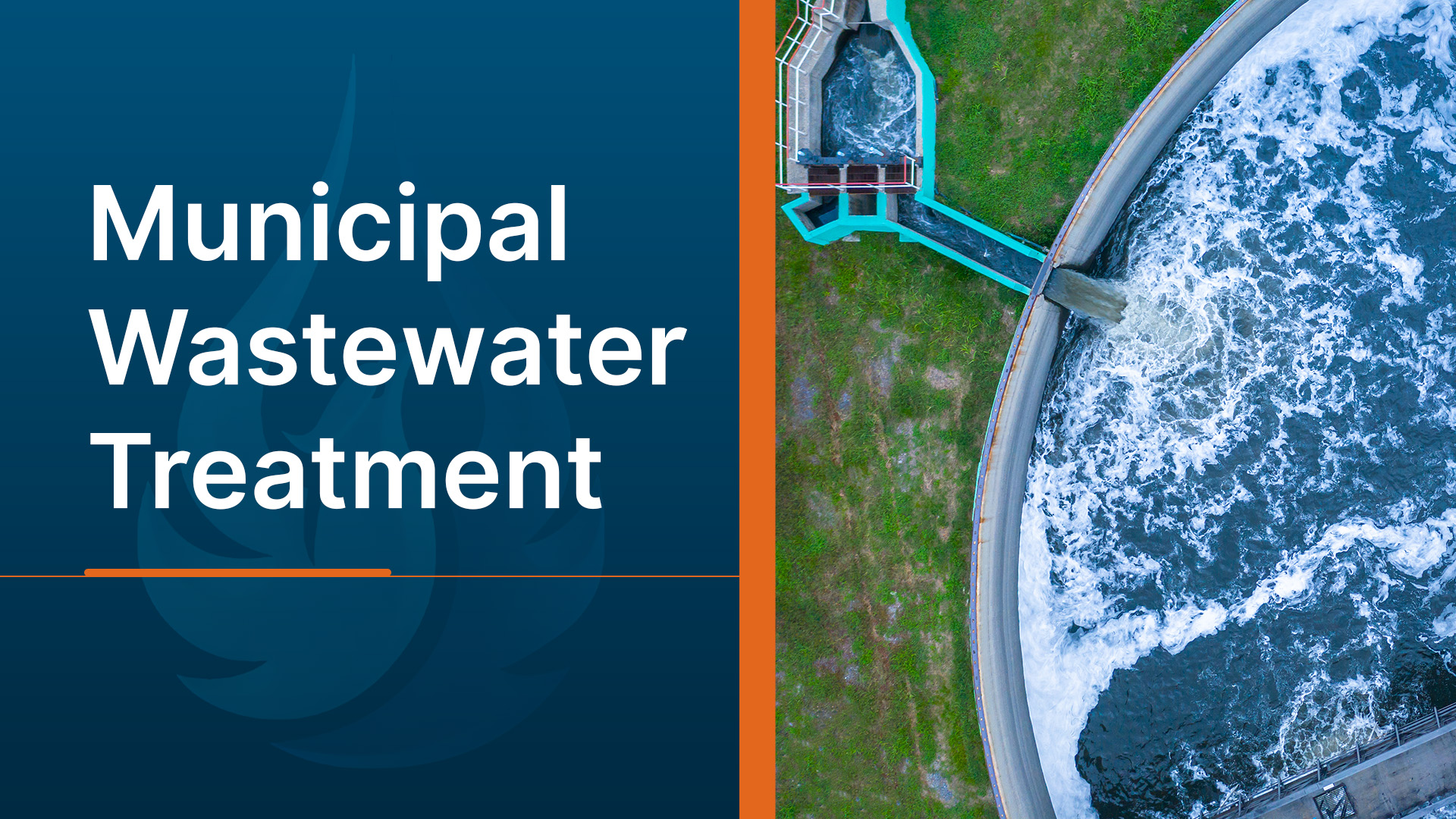
Wastewater is any water that has been used for a process and can no longer be used. This can range from domestic processes like washing your hands to industrial processes like manufacturing chemicals. These processes leave contaminants in the water like detergents, chemicals, food, and of course body waste. Municipal wastewater refers to wastewater from an entire community that is gathered together through sewers at a wastewater treatment plant (WWTP). To prevent harm to the environment and public health, this wastewater is treated by various methods and then discharged into local bodies of water. This article will provide some basic information on municipal wastewater like why it is important, how it works, and how AquaPhoenix Scientific supports wastewater management.
What Is Municipal Wastewater Treatment?
Before wastewater is treated, it has to be collected. Most sewage is gathered in a community’s sanitary sewer that traffics the waste to the treatment plant. Sanitary sewers are distinct from stormwater sewers, which take runoff from storms and release it into a natural body of water. Some communities combine the two, but modern sewage structures have moved away from this practice. Once the sewage arrives at the treatment facility, which is now called influent, it begins to be treated.
Wastewater treatment is the process of removing debris and contaminants from the influent. Wastewater treatment is commonly split between Municipal and Industrial. Both have the same common goal of creating cleaner water, but they differ in a few key ways. Industrial wastewater treatment typically refers to the on-site treatments a business does to wastewater before releasing it. Where municipal wastewater is an aggregate of waste from an entire community, industrial wastewater usually has waste from one facility or group of facilities, leading to their wastewater being more regular. Industrial wastewater commonly has harsher or more concentrated contaminants, whereas municipal wastewater is less concentrated, but the contaminants, concentration, and volume of wastewater are less predictable. This lack of predictability requires municipal wastewater treatment to accommodate the needs of its influent.
Municipal wastewater treatment is typically done in three stages: primary, secondary, and tertiary. The goal of the treatment is to turn the wastewater into cleaner water that can be discharged back into the environment.
What Are the Objectives of Municipal Wastewater Treatment?
Before wastewater treatment, water was used and then dumped onto the ground or allowed to flow back into the local lakes or rivers. The only treatment the wastewater received was from natural processes. Dilution, filtration through rocks and soils, and digestion by natural bacteria all removed impurities and contaminants but at a very slow rate. As human populations grew, the amount of wastewater outpaced the cleaning abilities of the natural systems, so freshwater quickly became contaminated. In order to preserve the environment and maintain healthy drinking water sources, wastewater treatment became a necessity.
A wastewater treatment plant’s goal is to create water with fewer contaminants that can be discharged into the environment without causing harm to the ecosystem or human health. In the United States, safe water is determined by the United States Environmental Protection Agency (USEPA), through National Pollutant Discharge Elimination System (NPDES) permits. These permits put limits on the contaminants and the concentrations that can be in the discharged water, called effluent. Common contaminants limited by NPDES permits include Total Suspended Solids (TSS), pH, Biochemical Oxygen Demand (BOD), ammonia, and more. These environmental regulations are critical as an excess of these contaminants can cause disease, algae blooms, death of local wildlife, or other harm to the local ecosystem.
From an economic perspective, the plant wants to remove impurities from the water in the most time and energy-efficient manner possible. For this reason, many WWTPs follow a similar structure for treatment with varying technologies and methods.
How Do Municipalities Treat Wastewater?
Most municipalities treat their wastewater in three steps called primary, secondary, and tertiary steps. Each plant will be unique with their challenges and the order of treatment could be shuffled around and technologies may be different, but plants generally follow these steps.
The primary treatment is the removal of solids from the wastewater. This is done by using screens of closely spaced bars and settling tanks. The screens remove large pieces of debris like trash or rags. These screens are periodically cleaned to remove the debris and is disposed of by burial or landfill. This is in part, is why flushing thick wipes is harmful to sewage systems. Smaller particles like sand and silt are removed in grit chambers which are longer tanks that slow down the flow so it settles out. Finally, suspended solids are removed in large sedimentation tanks. The water sits in these tanks while the solids settle out creating a sludge. Mechanical scrapers remove the sludge at the bottom and scrapers above remove grease and other contaminants that float. Primary treatment removes roughly 60% of total suspended solids (TSS) and roughly 35% of Biochemical Oxygen Demand (BOD).
Secondary water treatment focuses on the removal of soluble organic matter that escapes the primary treatment. This step typically features a biological process where microorganisms are used to consume the contaminants and convert them into harmless byproducts like carbon dioxide and water. Treatment with bacteria can be accomplished in a few ways, but two of the more common are activated sludge and trickling filter methods. Activated sludge is a common method, where sewage is mixed with activated sludge and aerated so the bacteria thrive. Another common method is a trickling filter, where sewage is sprayed on a bed of stones filled with the microbes. As the sewage trickles through, the bacteria digests the contaminants. In both cases a clarifier is used after to allow the denser material to settle out.
Tertiary treatment is the final step of treatment and it focuses on contaminants that are not biodegradable or the remnants of the other treatment steps. This step often utilizes granular filters for treatment and chemical treatments to remove excess phosphates, ammonia, nitrates, and more. The tertiary step will vary significantly depending on the water reclamation facility.
After all these steps, the water can then enter the environment safely
The municipal wastewater treatment process is intense and must work efficiently in order for us to have safe and healthy communities. With removing solid matter, then soluble organic material, and finally removing chemical contaminants, there are a lot of treatment processes to maintain and optimize. AquaPhoenix offers products to help keep water reclamation facilities efficient. We offer reagents, chemicals, test kits, pumps, panels, and data management software. Whether you need a few items to get through the week or want to set up a regular order of bulk reagents, we can meet your needs at aquaphoenixsci.com